Scoring genre clarity...
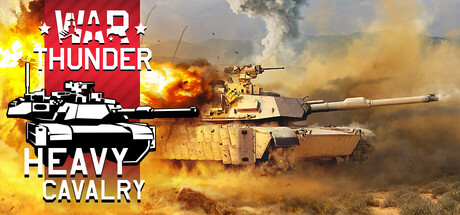
War Thunder capsule

War Thunder

War Thunder is the most comprehensive free-to-play, cross-platform, MMO military game dedicated to aviation, armoured vehicles, and naval craft, from the early 20th century to the most advanced modern combat units. Join now and take part in major battles on land, in the air, and at sea.

Free to PlayMostly Positive(13,247)
Free to PlaySimulationVehicular Combat
Gaijin EntertainmentAug 15, 2013

War Thunder scores 70/100 — better than 34% of Free to Play capsules (n=2,217).

Mostly Positive (13,247 reviews) · Free to Play · Released Aug 15, 2013 · By Gaijin Entertainment

Quick text summary

War Thunder scored 70/100 on Steam Analyzer — Good for a Free to Play capsule. Top priority fix: [contrast_color] Increase overall image brightness and add a stronger rim light or vignette to separate the pilot silhouette from the blue-grey background, improving pop on Steam's dark interface.

Capsule scores by dimension

  • Genre Clarity: 8/10 — Military sim multi-vehicle clear. The jet fighter cockpit with a pilot in the foreground and a fighter jet visible behind immediately signals military aviation simulation. The red banner logo with a tank silhouette reinforces the combined-arms nature of the game, communicating both air and ground combat. At tiny size the pilot helmet and jet shapes are still recognizable enough to imply military sim genre.
  • Title Readability: 7/10 — Logo readable, subtitle struggles small. The War Thunder logo on the red banner is bold and reads well at full and small sizes due to strong contrast against the red background. The 'Line of Contact' subtitle text is legible at full size but becomes difficult to read at tiny thumbnail size due to smaller font weight and lower contrast. The red banner placement on the right side creates a controlled background that aids logo readability.
  • Contrast & Color: 6/10 — Muted tones limit pop on dark. The overall palette is desaturated blue-grey for the cockpit and sky, which blends somewhat with the Steam dark background #1b2838 at small sizes. The red banner on the right provides the strongest contrast point and is the most visually distinct element. In grayscale the pilot helmet silhouette separates reasonably from background but the aircraft in the background merges into the overcast sky.
  • Uniqueness & Polish: 6/10 — Competent but genre-standard look. The cockpit POV angle with a pilot in full gear is a recognizable and effective framing, but it is a common approach in military sim marketing and does not stand out strongly against benchmark titles like Armored Core VI or HELLDIVERS 2. The red banner logo treatment is clean and branded. The composition is professional but feels more like a seasonal update capsule than a flagship hero image, which is consistent with its 'Line of Contact' update branding.
  • Brand Consistency: 8/10 — Strong War Thunder brand signals. The red diagonal banner with the War Thunder wordmark and tank silhouette is an established and recognizable brand element for this franchise, creating strong internal cohesion. The military-grey desaturated color palette and combined-arms imagery are consistent with War Thunder's known identity. The logo treatment would be recognizable to returning players even at small thumbnail size.
  • Composition: 7/10 — Clear focal point, right-heavy layout. The pilot in the foreground-left creates a strong primary subject with the logo banner anchoring the upper-right, forming a natural diagonal flow. The background jet adds depth without competing for attention. At small sizes the layout holds reasonably well but the right-heavy logo placement means it may feel slightly unbalanced, and the 'Line of Contact' text risks being cropped or lost near the edge at certain crop ratios.

What works

  • Strong brand banner. The red War Thunder banner with tank silhouette is immediately recognizable and provides the strongest contrast point in the image.
  • Clear military sim framing. The cockpit perspective with helmeted pilot and visible fighter jet behind communicates the military aviation genre instantly.
  • Depth layering works. Foreground pilot, midground aircraft, and background mountain terrain create readable depth even at small sizes.
  • Logo placement on controlled background. Placing the War Thunder logo on the red banner rather than over the noisy sky texture ensures readability at multiple sizes.

What hurts the capsule

  • Muted palette blends with Steam background. The blue-grey cockpit tones sit too close in value to Steam's #1b2838 dark background, reducing visual pop during quick scroll.
  • Subtitle unreadable at tiny size. 'Line of Contact' text becomes illegible at 120x45 thumbnail size due to small weight and insufficient contrast.
  • Generic military sim feel. The cockpit framing, while effective, is a common visual trope in military game marketing and does not distinguish War Thunder from competitors.
  • Right-edge logo risk. The red banner and logo placement near the right edge may be partially cropped in certain Steam capsule display contexts.

Priority fixes

  1. [contrast_color] Increase overall image brightness and add a stronger rim light or vignette to separate the pilot silhouette from the blue-grey background, improving pop on Steam's dark interface.
  2. [title_readability] Increase the font size and weight of 'Line of Contact' subtitle or remove it entirely from the capsule to reduce clutter at tiny size.
  3. [uniqueness_polish] Introduce a more dynamic or cinematic element such as an explosion, missile trail, or dramatic lighting to elevate the capsule above standard military sim genre visuals.
  4. [composition] Shift the logo banner slightly inward from the right edge to reduce crop risk and improve balance with the left-side pilot focal point.

Store copy priority fixes

  1. [hook_strength] Rewrite opening to lead with a specific, high-stakes scenario—e.g., 'Command a WWII fighter, a modern tank, and a naval destroyer in the same battle' or similar vivid verb-forward statement that sells the multi-vehicle fantasy immediately.
  2. [feature_communication] Add a sentence or bullet explaining progression, vehicle unlock mechanics, and how players advance through tiers; this is critical for free-to-play MMO conversion since players need to understand the long-term reward loop.
  3. [uniqueness] Insert a sentence that explicitly contrasts War Thunder's multi-vehicle integrated gameplay with single-vehicle-class competitors; e.g., 'the only MMO where air, ground, and naval forces battle simultaneously on the same map' or similar differentiating claim.
  4. [tone_match] Remove or replace 'astonishing graphics' and 'most comprehensive' with factual specifics already in the copy (3,000 vehicles, 100 maps, unified cross-platform servers) to adopt a more authentic, simulation-focused voice.

Related guides

Steam app ID: 236390 · Tags: Free to Play, Simulation, Action, Vehicular Combat, Combat