Scoring genre clarity...

Mouse practice for kids capsule

Mouse practice for kids

This game helps kids develop mouse skills by clicking on fun, colorful fruits that appear on the screen, making learning both engaging and enjoyable.

$5.995 user reviews
CasualEducationIncremental
Toonik GamesApr 2, 2025

Mouse practice for kids scores 67/100 — better than 15% of Casual capsules (n=10,153).

5 user reviews · $5.99 · Released Apr 2, 2025 · By Toonik Games

Quick text summary

Mouse practice for kids scored 67/100 on Steam Analyzer — Solid for a Casual capsule. Top priority fix: [contrast_color] Increase background value contrast by shifting to a warmer mid-tone or adding a subtle gradient that separates subject silhouettes more clearly against Steam's dark background

Capsule scores by dimension

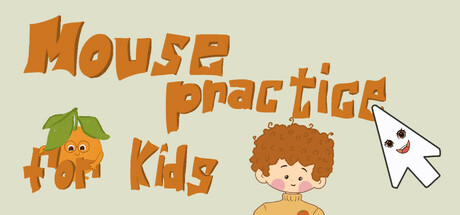
  • Genre Clarity: 8/10 — Clear casual educational game for children. The capsule immediately signals a kids' learning game through bright, cheerful illustrations of fruits, a smiling child character, and a cursor pointer icon. The playful art style, primary colors, and friendly character design clearly communicate the casual, educational nature of the title. At tiny size, the cursor and fruit elements remain recognizable visual anchors that reinforce the mouse-practice mechanic.
  • Title Readability: 7/10 — Readable title with good letter clarity. The orange title text 'Mouse practice for kids' displays clear letterforms with consistent spacing and sits prominently in the upper-left quadrant against the pale background. At full size readability is solid; at small and tiny sizes the text remains legible though the decorative orange styling loses some sharpness due to the angular, skewed letterforms. The placement avoids busy backgrounds and maintains reasonable contrast with the pale #E8DCC8 background.
  • Contrast & Color: 6/10 — Adequate contrast with limited depth separation. The warm orange title and illustrated elements provide decent separation from the pale cream background, but the overall palette is muted and warm-toned without strong value extremes. Against Steam's dark background (#1b2838), the pale background will lose significant contrast; the orange title and character elements maintain visibility but lack the pop of high-saturation or high-value contrast. The design reads reasonably well but does not create dramatic visual punch in quick-scroll conditions.
  • Uniqueness & Polish: 6/10 — Competent but generic children's illustration style. The capsule features clean, friendly clipart-style illustrations typical of educational children's software, with a consistent naive-art aesthetic. While the craft is competent and appropriate for the audience, the visual approach feels template-derived rather than distinctive; the fruit, cursor, and character lack a memorable art direction or unique selling point beyond 'cute and colorful.' The execution is functional but does not demonstrate a standout artistic or narrative hook that would distinguish it from similar edutainment titles.
  • Brand Consistency: 6/10 — Consistent child-friendly palette and character. The capsule employs a consistent warm-orange and green color palette paired with simple, friendly character and object design that aligns with typical children's game branding. The smiling child character and fruits create recognizable brand identity cues appropriate to the target audience. However, without reference to the five store screenshots, there are no distinctive motifs, signature design elements, or iconic symbols that would strongly differentiate this title's visual identity from other children's learning games.
  • Composition: 7/10 — Well-organized layout with clear focal areas. The composition balances the title text in the upper-left with illustrated elements (fruits, child character, cursor) distributed across the mid and right areas, creating visual interest without clutter. The title placement respects safe margins and does not compete with the character at the composition's center. At small and tiny sizes, the layout remains readable with the title, character, and cursor as clear focal points; however, the distributed elements mean no single dominant subject emerges at thumbnail scale, which slightly reduces visual hierarchy strength.

What works

  • Genre clarity through visual metaphor. The cursor pointer icon directly references the core mouse-practice mechanic and is immediately recognizable at all sizes.
  • Child-appropriate aesthetic cohesion. The warm color palette, smiling character, and friendly fruit illustrations create a unified visual identity that speaks directly to the target demographic.
  • Title placement and readability. The orange title text sits on a controlled background region with consistent spacing and clear letterforms that maintain legibility from full to small sizes.

What hurts the capsule

  • Weak contrast against Steam dark background. The pale cream background will lose significant visual separation when placed against Steam's #1b2838 dark theme, reducing pop in browsing conditions.
  • Generic educational illustration style. The clipart-based art direction feels template-derived and lacks distinctive visual character that would make the title memorable or stand out in a crowded casual games category.
  • Distributed focal elements reduce hierarchy. Multiple equally-weighted illustrated elements (fruits, child, cursor) compete for attention at thumbnail size rather than establishing one clear primary subject.

Priority fixes

  1. [contrast_color] Increase background value contrast by shifting to a warmer mid-tone or adding a subtle gradient that separates subject silhouettes more clearly against Steam's dark background
  2. [uniqueness_polish] Develop a signature visual style or character design element that differentiates this title from generic educational software, such as a distinctive mascot or unique art rendering technique
  3. [composition] Establish a single dominant focal point at tiny size by enlarging the child character or cursor icon as a clear primary subject and positioning supporting fruits in a supporting role

Store copy priority fixes

  1. [hook_strength] Rewrite the short description to open with the core differentiator: 'Teach kids proper mouse control using a proven psychological trick: we shrink the cursor and targets as they improve, building real PC skills from day one.'
  2. [audience_targeting] Add a specific age range (e.g., 'designed for ages 3–7' or 'recommended for preschool to early elementary') to help parents immediately assess fit.
  3. [uniqueness] Explicitly contrast the shrinking cursor approach in the detailed description: 'Unlike passive games that only reward clicking, our progressive difficulty ensures kids graduate to real-world mouse speeds and sizes.'
  4. [hook_strength] Replace 'fun' and 'engaging' with specific outcomes in the short description: 'develops mouse control, fine motor skills, and hand-eye coordination in a game kids actually enjoy.'

Related guides

Steam app ID: 3214720 · Tags: Casual, Education, Incremental, 2D, Cartoony