Scoring genre clarity...
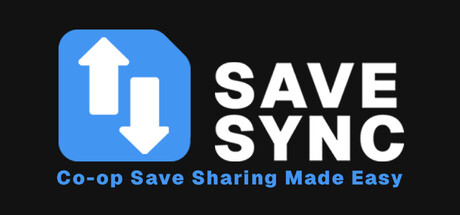
SaveSync: Co-op Save Sharing Made Easy capsule

SaveSync: Co-op Save Sharing Made Easy

Keep co-op worlds alive, even when the host is offline. SaveSync is a save syncing, backup, and sharing tool built for co-op games. Seamlessly transfer save files between friends. No more manual copy-pasting or paying for dedicated servers.

$5.99Very Positive(14)
UtilitiesEarly AccessIndie
SaveSyncSep 19, 2025

SaveSync: Co-op Save Sharing Made Easy scores 60/100 — better than 0% of Steam capsules we've analysed (n=22,658).

Very Positive (14 reviews) · $5.99 · Released Sep 19, 2025 · By SaveSync

Quick text summary

SaveSync: Co-op Save Sharing Made Easy scored 60/100 on Steam Analyzer — Solid for a Steam capsule. Top priority fix: [uniqueness_polish] Add a gaming-specific visual element such as a controller, save file icon with a game cartridge motif, or two player avatars exchanging files to signal the co-op gaming context immediately.

Capsule scores by dimension

  • Genre Clarity: 5/10 — Utility tool, genre ambiguous. The blue document icon with up and down arrows clearly communicates a sync or transfer utility concept, which is accurate for the product. However, at tiny size, this reads more like a productivity app or cloud service icon than a Steam game or utility tool, and nothing in the visual implies gaming context or co-op save management specifically. The lack of any game-related iconography means genre clarity relies entirely on the title text, which is insufficient at tiny size.
  • Title Readability: 8/10 — Bold white title reads well. The SAVE SYNC wordmark uses a clean, heavy sans-serif font in white against pure black, providing strong contrast and legibility at full and small sizes. At tiny size the two stacked words compress but remain distinguishable due to the bold weight and wide letterforms. No decorative elements hurt legibility, though the tight stacking of the two words at tiny size could merge visually.
  • Contrast & Color: 7/10 — High contrast, simple palette. The pure black background paired with bright blue icon and white text creates strong value separation that pops cleanly against Steam's dark #1b2838 background. In grayscale, the white text and mid-gray blue icon still maintain clear separation from the black field. At tiny size the blue icon remains a distinct colored blob, though it loses icon detail, and the white text block remains legible.
  • Uniqueness & Polish: 4/10 — Generic app icon aesthetic. The design looks like a SaaS or mobile app icon rather than a Steam product, making it feel generic and low-effort compared to polished indie capsules like Balatro or Hades II that use distinctive illustration or typography craft. The flat blue rounded-rectangle icon with arrows is a common visual language for cloud sync apps and carries no unique visual identity or gaming hook. There is no visual storytelling that communicates the co-op save-sharing concept or any personality that differentiates it.
  • Brand Consistency: 6/10 — Cohesive but minimal identity. The two-tone palette of blue, black, and white is internally consistent and would carry across screenshots if maintained, giving a minimal brand language. The icon and wordmark together form a recognizable unit that could be identified on repeat exposure. However, the identity is so minimal and generic that it lacks a memorable hook or signature element that would stand out in a crowded store listing.
  • Composition: 6/10 — Clean split layout, functional. The icon sits left-anchored with the title wordmark to its right, creating a simple horizontal split that is a common and safe compositional approach. The layout is clean with adequate breathing room and no clutter, and important elements stay well within safe margins. At small and tiny sizes the layout compresses horizontally but both elements remain present, though the icon loses its arrow detail entirely and becomes a blue shape.

What works

  • Strong title contrast. Heavy white sans-serif on pure black reads clearly at small and tiny sizes without decorative interference.
  • Clean uncluttered layout. The simple left-icon right-title split avoids visual noise and keeps both elements within safe crop margins.
  • Accurate utility iconography. The up-down arrow document icon immediately communicates a sync or transfer function to technically minded users.

What hurts the capsule

  • Looks like a SaaS app, not a Steam product. The design language of a flat rounded-rectangle icon on black mimics mobile and productivity apps, failing to signal a Steam game or gaming utility at a glance.
  • No gaming context or co-op hook visible. Nothing in the visual implies games, co-op, save files, or any gaming-specific use case, making the product's value proposition invisible from the capsule alone.
  • Icon detail collapses at tiny size. At 120x45 the arrows inside the blue icon are unreadable and the icon becomes a plain blue blob with no communicative value.
  • Generic compared to genre benchmarks. Against top-performing indie utility capsules, the design has no distinctive art style, character, or visual storytelling that would make it memorable in a scroll.

Priority fixes

  1. [uniqueness_polish] Add a gaming-specific visual element such as a controller, save file icon with a game cartridge motif, or two player avatars exchanging files to signal the co-op gaming context immediately.
  2. [genre_clarity] Introduce a subtle visual narrative element, such as two character silhouettes or game icons being shared, so the capsule communicates gaming utility without relying on text alone at tiny size.
  3. [uniqueness_polish] Replace or supplement the generic SaaS icon with custom illustration or a more distinctive typographic treatment that sets it apart from productivity app aesthetics.
  4. [brand_consistency] Develop a signature color accent or icon motif that could build recognizable brand identity across capsule, screenshots, and store page.

Related guides

Steam app ID: 3832010