Scoring genre clarity...
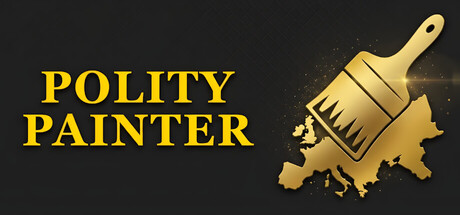
Polity Painter capsule

Polity Painter

Polity Painter is a minimalist sandbox tool for historical map enthusiasts. Effortlessly paint borders, name nations, and visualize alternate histories across diverse world maps including Japan, Europe, and the Americas. Your world, your canvas.

$4.993 user reviews
SoftwareGod GameSimulation
Lux HistoriaMay 5, 2026

Polity Painter scores 73/100 — better than 49% of Software capsules (n=111).

3 user reviews · $4.99 · Released May 5, 2026 · By Lux Historia

Quick text summary

Polity Painter scored 73/100 on Steam Analyzer — Good for a Software capsule. Top priority fix: [uniqueness_polish] Add a subtle map background or alternate-history visual cue (e.g., a faint reimagined border pattern or era-specific geography hint) to communicate the historical sandbox context and differentiate from generic paint tools.

Capsule scores by dimension

  • Genre Clarity: 7/10 — Clear creative tool messaging. The paintbrush icon immediately signals a creative or artistic tool, and the map silhouette with paint splatter reinforces the map-painting concept effectively. At tiny size, the brush and geographic shape remain recognizable, though the genre leans more toward sandbox creation than traditional strategy, which is appropriate for the game's positioning.
  • Title Readability: 8/10 — Bold, legible sans-serif title. POLITY PAINTER uses a strong, all-caps serif/sans-serif hybrid in bright yellow (#D4AF37 approx) positioned on clean dark background at top left, with excellent letter spacing and no competing elements. The title remains fully readable at small size and maintains clarity at tiny size, though the stacked two-line layout is optimal for horizontal viewing constraints.
  • Contrast & Color: 8/10 — High-value yellow against dark field. The golden yellow title and brush achieve strong value separation against the dark charcoal background (#1b2838 equivalent), and the gold paintbrush silhouette stands out clearly with warm rim lighting that creates depth. In grayscale, the yellow converts to a bright mid-to-high value that reads distinctly; the paint splatter adds darker accent points that enhance silhouette clarity even at tiny size.
  • Uniqueness & Polish: 7/10 — Polished concept metaphor well executed. The paintbrush-as-map-tool metaphor is thematically coherent and communicates the sandbox editing core mechanic clearly without generic template feel. The golden brush against the map silhouette with paint splatter shows intentional craft, though the overall aesthetic is fairly straightforward and does not include distinctive visual storytelling beyond the core concept; this is competent but not highly memorable compared to top indie titles.
  • Brand Consistency: 6/10 — Consistent but minimal identity markers. The golden paintbrush icon and bold yellow title create a recognizable color pairing, and the black background provides a stable anchor across the capsule. However, there are no distinctive character, signature motif, or unique palette cues that would make this capsule instantly iconic on repeat viewing; the identity is functional and thematic but lacks a memorable hook that would distinguish it from other minimalist tools.
  • Composition: 8/10 — Well-balanced title-icon hierarchy. The left-aligned title occupies prime real estate with generous white space, while the paintbrush icon is positioned in the upper right, creating clear visual hierarchy and focal balance without clutter. At small and tiny sizes, the two-element layout (title left, icon right) reads cleanly with no dead center void, and critical elements are safely inset from edges; the composition is resilient to Steam cropping and maintains clarity across all viewing sizes.

What works

  • Strong yellow-on-dark contrast. The golden title and brush stand out clearly against the charcoal background, ensuring excellent legibility and visual pop in quick scroll and at thumbnail size.
  • Clear tool-genre metaphor. The paintbrush icon immediately communicates a creative sandbox tool, aligning the visual with the game's core map-painting mechanic.
  • Balanced composition at all sizes. Left-aligned title and right-positioned icon create effective hierarchy that reads well at full, small, and tiny sizes with no wasted space or awkward gaps.
  • Readable sans-serif typography. All-caps yellow title maintains legibility across viewing sizes with good letter spacing and no decorative complexity.

What hurts the capsule

  • Generic identity marker set. The golden brush and black background, while competent, do not create a distinctive or memorable brand icon that stands out against competitor capsules in the casual simulation space.
  • Limited visual storytelling. The capsule communicates the core mechanic but includes no world-building, alternate history teasing, or narrative hook that elevates it beyond functional design.
  • Minimal secondary visual depth. The composition relies entirely on the title and icon with no midground or background layering; the paint splatter adds texture but does not create compelling depth or contextual richness.

Priority fixes

  1. [uniqueness_polish] Add a subtle map background or alternate-history visual cue (e.g., a faint reimagined border pattern or era-specific geography hint) to communicate the historical sandbox context and differentiate from generic paint tools.
  2. [brand_consistency] Introduce a distinctive secondary color accent or iconic motif (e.g., a signature border style, compass rose, or historical marker) that reinforces Polity Painter's identity across store pages and capsules.
  3. [composition] Layer a faint topographic or map texture in the background to add depth and visual interest without compromising title readability or contrast at tiny size.

Store copy priority fixes

  1. [uniqueness] Add a sentence that articulates what makes Polity Painter distinct—e.g., 'the only map tool with procedurally generated flags,' 'designed specifically for tabletop RPG prep,' or 'combines painting with deep nation-building in one minimalist interface.'
  2. [feature_communication] Clarify what players can do with nation attributes (Government, Religion, Culture, Population, Power)—do they affect gameplay, visual representation, or are they purely lore elements?
  3. [tone_match] Replace hyperbolic language ('forge empires,' 'burgeoning nations') with more grounded descriptions that match the minimalist positioning—e.g., 'design and customize nations' rather than 'forge empires.'
  4. [hook_strength] In the short description, lead with the specific creative action rather than abstract appeal—e.g., 'Paint alternate histories across real-world maps and breathe life into your nations with custom flags, lore, and attributes.'

Related guides

Steam app ID: 4614650 · Tags: Software, God Game, Simulation, Sandbox, Education