Scoring genre clarity...
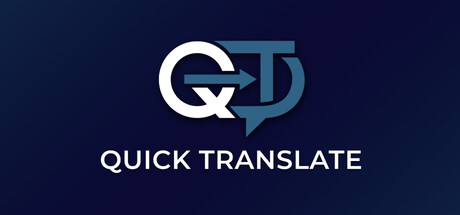
Quick Translate capsule

Quick Translate

Quick Translate instantly captures and translates any onscreen text with a simple hotkey. Translate foreign content or write in another language with ease. Perfect for games, manga, chatting, and learning. Powered by the latest advanced AI models, it’s fast, accurate, and always one keystroke away.

Free to Play8 user reviews
UtilitiesFree to PlayEducation
HanziStackMar 13, 2026

Quick text summary

Quick Translate scored 65/100 on Steam Analyser — Solid for a Steam capsule. Top priority fix: [contrast_color] Add a warm accent color or a subtle glow behind the logo to create separation from Steam's #1b2838 background and improve scroll-stop power.

Capsule scores by dimension

  • Genre Clarity: 6/10
  • Title Readability: 7/10
  • Contrast & Color: 6/10
  • Uniqueness & Polish: 6/10
  • Brand Consistency: 7/10
  • Composition: 7/10

Priority fixes

  1. [contrast_color] Add a warm accent color or a subtle glow behind the logo to create separation from Steam's #1b2838 background and improve scroll-stop power.
  2. [genre_clarity] Introduce a small visual metaphor at full size, such as a translated text snippet, a screen capture overlay, or a hotkey badge, to communicate the instant on-screen translation mechanic.
  3. [uniqueness_polish] Replace the plain navy gradient with a more distinctive background treatment such as a subtle foreign script texture or a soft screenshot overlay to reinforce the product's use case.
  4. [title_readability] Slightly increase the wordmark size and add a very subtle dark shadow or glow so it remains legible even when the capsule is rendered at tiny thumbnail size.

Related guides

Steam app ID: 3896680